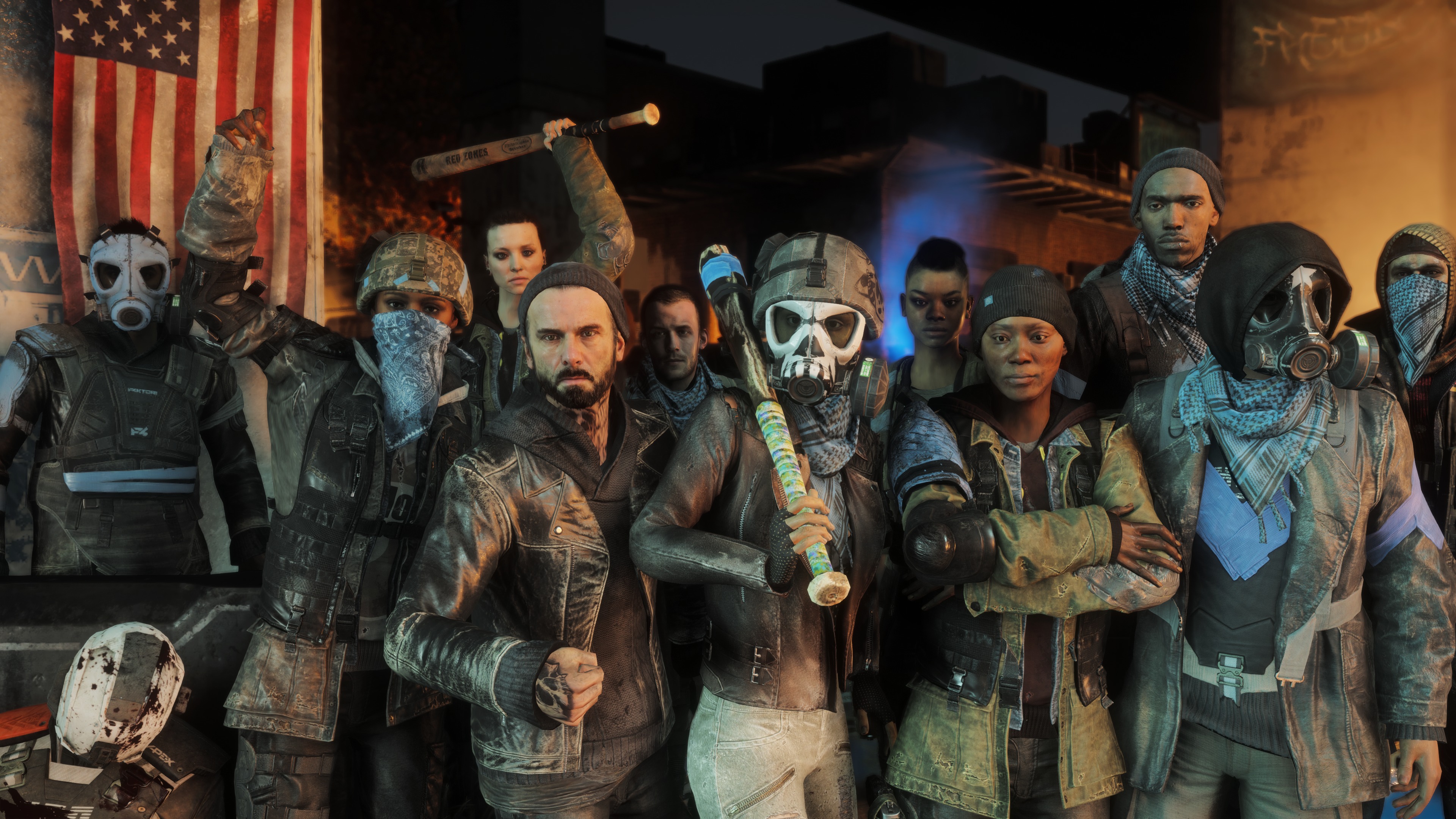
The dungeon-crawling Dark Souls series is known for one thing: its insane difficulty. So I expected Dark Souls 3’s first DLC, Ashes of Ariandel, to be hard. However, after a few hours with it, I can confirm no amount of past experience can prepare you for the glorious brutality in store.
If Dark Souls 3 was hell, then its first DLC is a special kind of hell – the one normally reserved for noisy eaters and people who play music aloud on public transport. If you dare to play Ashes of Ariandel you will die. You will die a lot and you will likely lose your sanity, and collected souls, somewhere along the way.
The DLC doesn’t alter the game’s core mechanics. Instead the DLC unlocks new areas to explore.
The preview dropped me in the first bonfire of the new area as a tank level-100 Knight, fully armoured and loaded with all the perishables and estus flasks I could wish for. Full of misguided faith in my skills, I marched out into a snowy mountain forest confident that I had the resources to survive. I didn’t.
Within a few paces I was confronted by the first of the Ashes of Ariandel’s multitude of new enemy types. At first glance my foe looked like a slightly big Hollow – a zombie-type thing that’s usually a pushover by Dark Souls standards. Closing in I found this wasn’t the case. Rushing forward to quickly dispatch it with a longsword, the giant frost-Hollow unexpectedly breathed fire at me, zapping a quarter of my health bar in one go.
In flames and aware I was doomed, I referred to the cheese-eating surrender monkey’s strategy book, tucked my tail between my legs and ran back towards the bonfire. En route, one of the trees came to life and swatted me like an ant – I just discovered another new enemy.
Unperturbed, I pulled up my greeves, muttered, “see you, big man, yeah?” and tried again. Having learned about the danger the foliage poses and the new enemy’s fire breath and managed to defeat the first Hollow. Mid-way through my victory dance, frozen ground gave way, plonking me into a lower level of the forest, full of wolves and yet more evil trees – that’s when I experienced death number two.
Now on guard, I adopted the standard Dark Souls strategy – assume you’re in a Lovecraftian nightmare where everything is out to get you. The tactic didn’t work. Fighting my way back to the lower level, I erred on the side of caution, pulled up my shield up and attempted to get a read on my wolfen foe’s attack pattern before launching my assault. As payment, the wolf let out a howl and, before I knew it, I was being mobbed by an entire pack.
After more attempts and swears than I’m willing to admit, I finally forced my way through the mountain forest into the next area – the ruins of an ancient mountain keep. Walking up to a broken tower, I was confronted by a Nordic-looking Frost Giant wearing viking armour and a super-sized axe. After dodging past his oddly sprightly charges and attacks, a battle ensued that would make Dragon Ball Z’s Goku vs Freezer fight look like a minor scuffle. I emerged victorious and smugly strode forward, only to turn a corner and find four of the bloody things waiting. So there I was, back at the first bonfire. Weeping.
Things only got more difficult from there. Throughout the entire demo Dark Souls refused to relent. In just 20 minutes I was confronted by more new enemies and challenges than I can easily count. These ranged from weird distorted ghouls to what I can only describe as the mongrel child of Marvel’s Wolverine and a vulture.
Each creature brought its own set of challenges and I can’t even begin to describe the hell you’ll experience when taking on the first boss, which – no spoilers – makes Dark Souls 3’s final fight look like a cake walk.
DARK SOULS 3 DLC ASHES OF ARIANDEL – FIRST IMPRESSIONS
If you like Dark Souls’ brutal difficulty you’ll most likely love Ashes of Ariandel. The DLC takes the strategic, hardcore combat that Dark Souls is famous for and ramps it up to 11, creating one of the most challenging gaming experiences I’ve encountered for quite some time.
However, if you’re a casual gamer prone to fits of rage, it may prove a bridge too far, even for Dark Souls. Sure, £11.99 (on Steam) may sound cheap, but when you add the £100+ you’ll likely spend replacing broken controllers, Ashes of Ariandel could become a costly purchase.
The Puro Sound Labs BT5200 wireless headphones are broccoli for your ears.
That's not really "rock 'n' roll," but the BT5200s are made to save you from yourself and keep your hearing healthy. Inside of the aluminum earcups with their 40mm custom dynamic drivers is a microprocessor that monitors their decibel level and alerts you via an LED when your volume is safe or unsafe.
Basically, to keep your hearing healthy, it's recommended that you keep volume at or below 85 dB. When you're in this range with the BT5200s, the tiny LED on the left cup glows green. When you're between 85 and 95 -- a level you should limit to 2 hours or less -- the LED glows yellow. Keep raising the volume till you're over 95 decibels and the LED turns red, letting you know you're on your way to hearing damage.
Knowing the safe listening level at a glance is nice (even if it does require taking the headphones off to find out), but you still want to be able to hear whatever it is you're listening to. For that, Puro balanced the sound quality, so it actually sounds loud at a lower volume.
The Puros have a natural, warm tone to them with full bass, and sound excellent for a variety of music styles as well as spoken word such as audio books and movies and TV. If you're looking for a lot of booming, hard-hitting bass or highly detailed audio, these probably won't satisfy. But for those with eclectic tastes or those who want a good multipurpose headphone, the BT5200s hit the mark.
There is no active noise cancellation, so if you're on a plane, train or bus, you're still going to hear much of the noise. The earcup padding combined with the pressure of the headband does block 82 percent of external audio according to the company, though, and I believe it. All it takes is listening to some music at low volume to completely block out extraneous noise in my office.
That's sort of the whole point with the BT5200s, too: Between blocking out external noise and tuning the audio to be louder at lower volumes, you don't need to crank up your music or podcasts or movies to clearly hear them.
The company makes a set for kids, too -- the $80 BT2200 -- which offer the same audio quality and external noise blocking, but they are limited to 85 dB. Regardless of the source or if you turn up theheadphone or source volume, the loudest they'll get is 85 dB.
The adult and children styles look nearly the same, too. Unfortunately, they also look a lot like this set by Pioneer, these from Satechi, and this pair from Diskin. Anyway, you get the point; while Puro may have made what's inside to its specifications, the outward appearance is not as unique. They do look nice enough and the aluminum parts make them feel sturdier, which is nice if you're handing them over to your kids. Though as your kids get older, you might find them begging for a trendier pair.
For on-ear headphones they are generally comfortable to wear, but after about three hours straight they started to hurt. They are a tight fit, no doubt to help seal out noise, so if your head is on the large side, these might prove too uncomfortable from the get-go.
Battery life is rated up to 24 hours. I had no trouble getting through two eight-hour workdays of constant use before I charged them up via their Micro-USB port. If they did die, though, Puro includes a flat, tangle-free 3.5mm cable to use them wired. A hard-shell case for storage is also included.
The Puro Sound Labs BT5200 headphones deliver excellent audio while helping you protect yourself from hearing loss. Here's hoping that when it comes time for an update, the company goes for a more comfortable design that helps them standout.
Can’t wait until Steam Winter Sale to pick up a copy of Fallout 4? You are in luck this weekend as Fallout 4 is now 60% off all the way down to $24.
The Steam version of Fallout 4 along with all its DLC is on sale this weekend at British-based digital retailer Green Man Gaming. This is a good time to finally join the fray, as the chance to play one of the top selling games in 2015 will come with a major discount. For those that have already been rocking out in Fallout 4 and missed out on picking up the Season Pass deal, they can buy the DLCs piecemeal below at a lowered price, up to 40% off.
In another semi-post-apocalyptic related title, the Borderlands franchise are also on sale this weekend with similar discounts. If you’re interested, you can use the same discount code for Fallout 4 titles and knock Borderland titles such as Borderlands 2: Game of the Year Edition all the way down to $7.75. Note that if you’re planning to buy The Handsome Collection, you may as well pick up each of the games within the bundle separately since you will end up saving $0.70 if you buy separately. It’s not major savings, but every penny counts.
MacOS Sierra has landed. While we say goodbye to the "X" in "OS X" with MacOS Sierra, the new Mac operating system introduces a number of improvements and new features. Siri integration tops the list, but Sierra also offers easy filing sharing via iCloud Drive, a universal clipboard, auto unlock via Apple Watch and Apple Pay on the Web.
As with past OS X releases, MacOS Sierra is a free upgrade made available via the MacApp Store. Before taking the plunge, learn how to prepare your Mac for MacOS Sierra. And then read on to see how to use Sierra's new features.
First up, Siri. Apple is making its voice assistant more useful in more places. Not only did Apple open Siri up to third-party apps on iOS devices, but it has also come to Macs. Learn 11 new ways you can use Siri, including Siri with Sierra as well as with iOS 10 andApple TV.
If use Apple Pay to purchase goods in brick-and-mortar stores, then you should know that Sierra lets you make online purchases from your Mac. As long as you are using Safari to shop and have your Touch ID-enabled iPhone or Apple Watch nearby to confirm your purchases, you can use Apple Pay on a Mac.
MacOS Sierra makes it easier for Apple Watch wearers to unlock their Mac. Why enter a password when you can use unlock your Mac with the Apple Watch?
Why not watch a video while you shop? With Sierra's picture-in-picture feature, you can pop videos out of Safari or iTunes and watch in a floating, resizable video player in the corner of your screen.
MacOS Sierra takes the two folders you likely use the most -- Desktop and Documents -- and syncs them with iCloud Drive so that any files you have stored there are accessible from your other iCloud Drive-enabled devices, including your iPhone, iPad, other Macs and even Windows PCs. Learn how to sync files via iCloud Drive with MacOS Sierra.
MacOS Sierra understands you have multiple devices and the occasional need to share data across them. With Sierra's awesome, new universal clipboard, you can copy text, a photo or video from one device and paste it on another device, either Mac to Mac or Mac to iOS device (or vice versa).
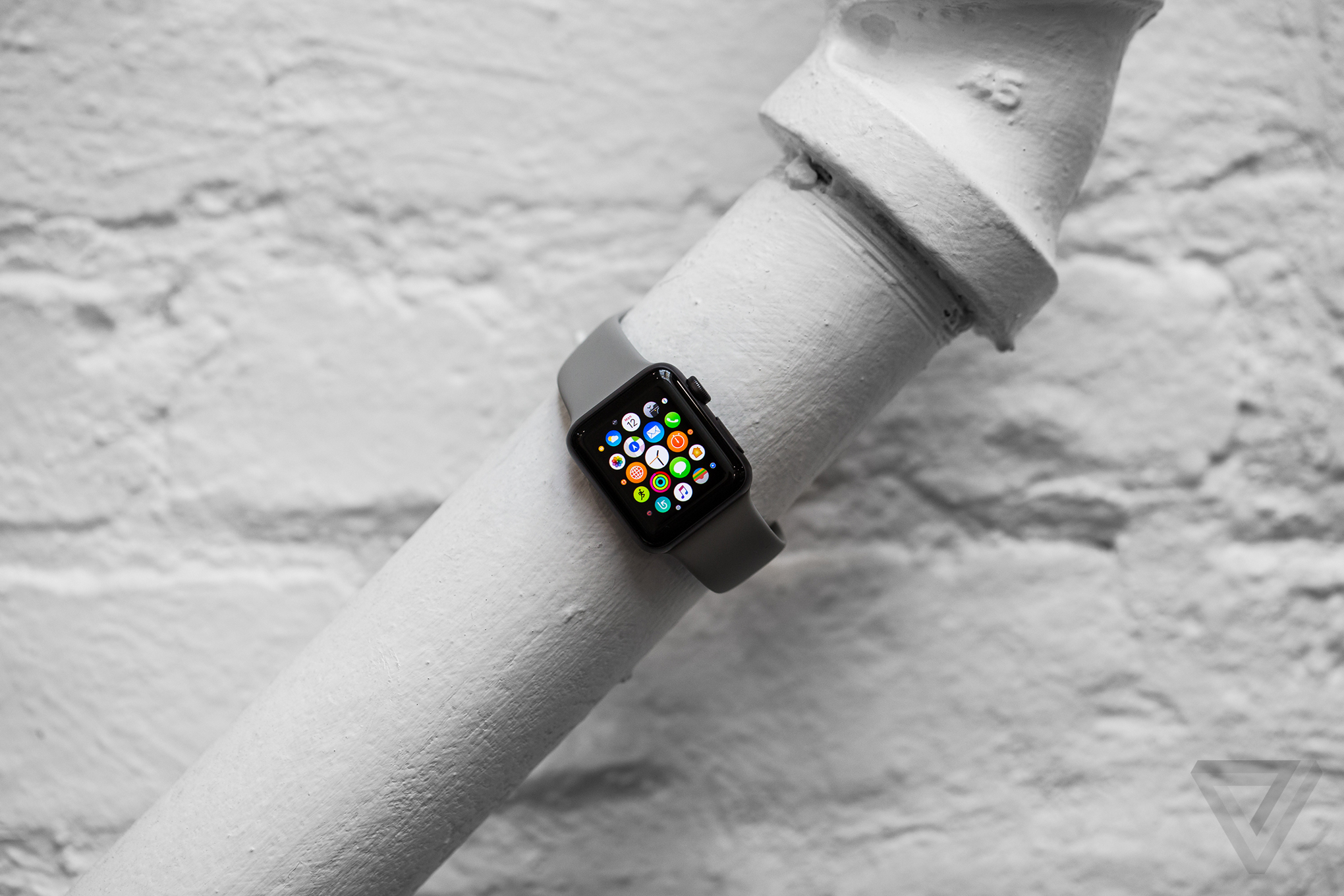
The Apple Watch Series 2 is exactly that. It’s what Apple had resisted calling its wearable for the past year and a half, even declining to categorize it as such when citing industry rankings, opting for the “smartwatch” category instead. It is, definitely, still a smartwatch. But the Watch now has focus, and that’s a good thing.
From the first Apple Watch, which came out in April of 2015, Apple learned that lots of people were using it primarily for health and fitness-tracking purposes. They had been groomed by years of Fitbits and Jawbones and Garmins and Polars and “smart” scales and the whole notion of the quantified self, which promises self-betterment if you could just get a handle on your personal data. Apple learned that people will pay for technology that promises an escape from technology, even if only for 30-minute sweaty increments of time.
The first Apple Watch was a traditional first-gen Apple product: elegant in its design, but lacking key components; a more intuitive interface than a lot of its competitors had to offer, but glitchy and with slow-to-load apps. But Apple is rich and influential enough that it can miss once and still get a do-over, something not every tech company gets. Apple can afford to iterate. And it has.
The Apple Watch is now both more and less of the things it was trying to be. The addition of GPS and better water resistance make it more of a fitness tracker. The new, distilled software means it doesn’t have ambitions of acting like a “smartphone replacement,” and instead it feels more like a useful accessory. Is it as essential as the smartphone? No, it may never be. But it now makes a little more sense as part of the Apple ecosystem.
Old and new
The Apple Watch Series 2 comes in three models: the least expensive aluminum model that starts at $369; the stainless steel model that starts at $549; and a ceramic model that starts at $1,249. There’s also a Nike-branded version of the sport watch that will ship in late October. All of these watches have the same internals, just different external materials.
Apple has even gone ahead and upgraded the original Apple Watch with a faster processor and a lower starting price point ($269). With the addition of WatchOS 3 software, this first-gen watch will get many of the features of the newer one. Even still, $269 is more expensive than a basic Garmin running watch, Pebble smartwatches, some Android Wear watches, Samsung Gear Fit 2, Microsoft Band, or even the performance-focused line of Fitbits. But given how far ahead Apple is in the smartwatch market, it’s obvious that at least some iPhone owners will pay a premium for the activity-tracking and app platform that Apple Watch offers.
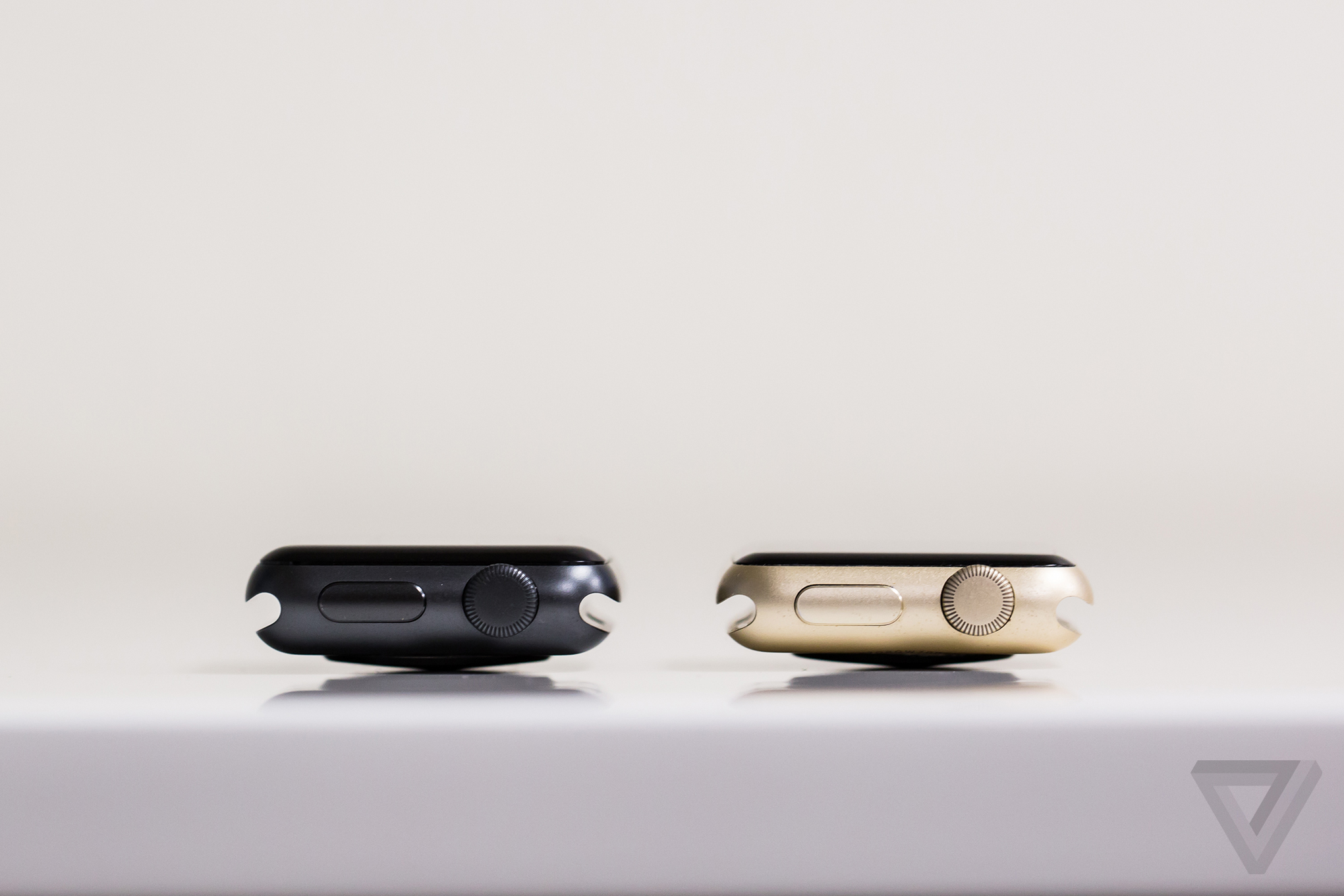
The new Watch looks almost exactly like the old Watch. It’s like the iPhone 7: no one will notice that you’ve got the new model, which shows a confidence in the original design, but may also disappoint you if you like to show off that you have the latest and greatest gadget. It’s the exact opposite approach Fitbit — Apple’s main competitor in the fitness-tracking world — has taken this year. Fitbit has released four new wearables, all different in their design, but with much of the same technology distributed throughout them. Apple has retained its old design, but added new technology.
There are small differences in the new Watch’s appearance. The OLED display on the new Watch is brighter — in fact Apple says it’s the brightest display it has ever made. And if you look closely enough, you can see that the new Watch is just a tad thicker (0.9mm, to be exact). But again, it’s kind of like it just ate a big meal; you might be aware of it, but no one else will notice. Also, imagine that big meal was a bigger battery.
Let's get physical
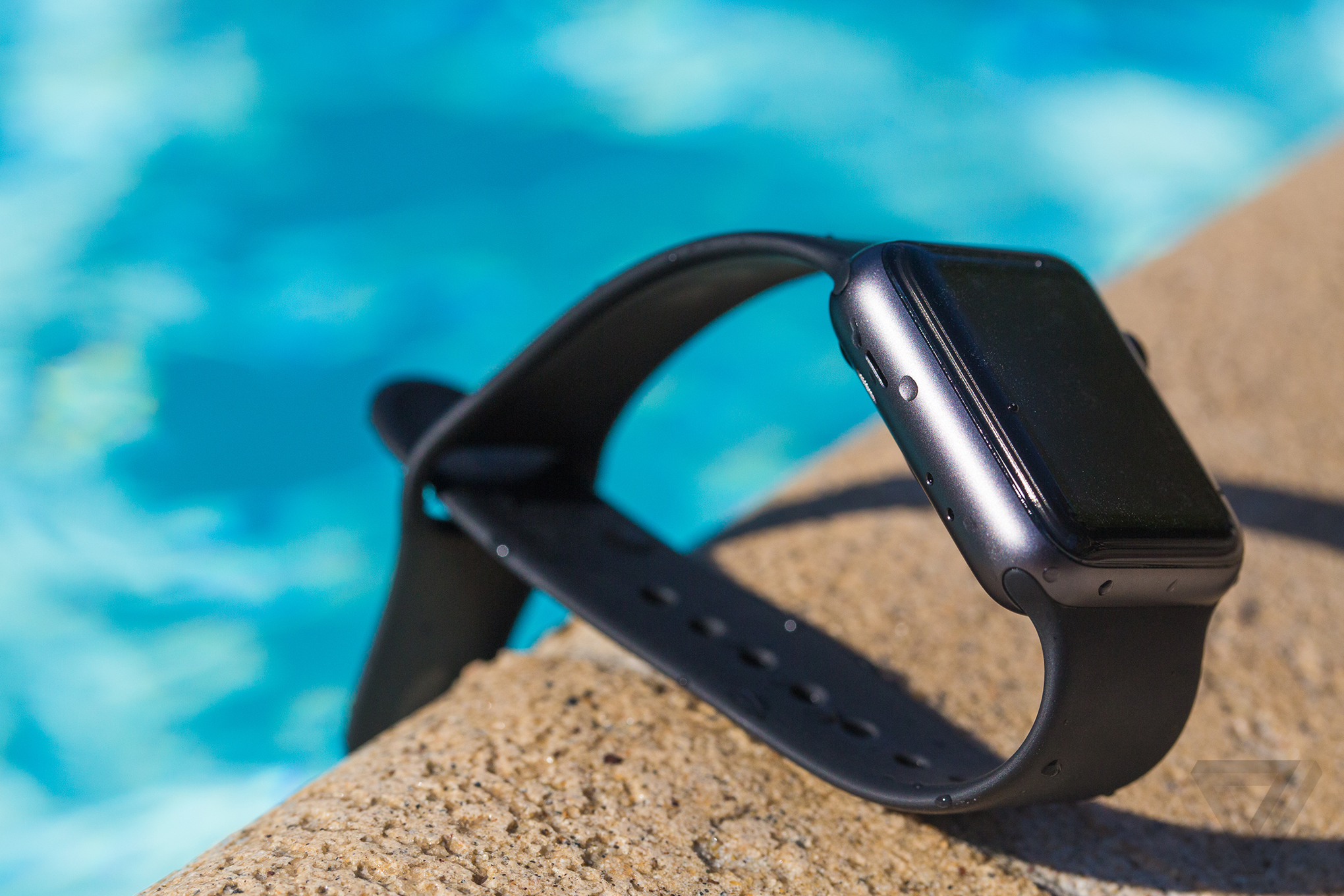
Let’s, uh, dive right in: you can wear the new Apple Watch while swimming. The previous model was already somewhat water resistant, but now it’s water resistant up to 50 meters. The Watch’s Workout app tracks both pool swims and open water swims, recording laps, distance, and stroke style.
When you start one of these swim workouts, the Watch auto-locks the touchscreen display. Apple says this is so the Watch won’t react to water droplets or water pressure as it would your finger. Before you hit "End" on the workout, you have to twist the physical crown on the Watch. It then emits a sound, one that sounds uncannily like a mosquito flying close to your ear, and the vibration pushes water out the horizontal speaker holes. It is a strange and kind of brilliant way to get water out of the ports of a consumer electronic device.
The Watch’s new level of water resistance will please a lot of people; it’s something that impacts not just swimmers but anyone who has jumped in a pool with the Watch on, or who, you know, showers. (The Watch also has a water-lock feature separate from the swim function, accessible when you swipe up from the bottom of the home screen.)
But while the waterproofing is useful, the addition of GPS is a much bigger deal. It was easy to knock the first Apple Watch as a fitness device; I know because I often knocked it for this. A $349 sport watch without GPS was like an expensive sports car without turbo. Do you absolutely need it? No. But does it make the thing more legitimate? Yes.
Now you can go outside, without your iPhone, and run and cycle and hike to your heart’s content and the Apple Watch Series 2 will receive a GPS signal. It will calculate your distances, and show a map of your workout in the Activity app on your iPhone.
GPS IS WHAT REALLY MAKES THIS A SPORT WATCH
Well, maybe not all the way to your heart’s content: the Watch’s battery only lasts for five continuous hours while pulling down a GPS signal. Also, the Watch doesn’t indicate that it’s using GPS while you’re in an outdoor workout mode. You just have to assume it’s working. I suspect this is because Apple doesn’t want people to experience the "searching for GPS" message that pops up on a lot of sport watches. The company says that it will start searching for a signal as soon as you open the Workout app on the Watch — even if you haven’t specified that you’re doing an outdoor workout — and will use data from other sensors, like the accelerometer, to fill in the gaps until it has located GPS.
Maybe you don’t care about all that, and you’re only concerned with accuracy. You’ll be happy to hear that it’s been accurate for me so far. I tested the Watch on my usual walking, running, and cycling routes. I didn’t bring my iPhone, since the Watch will default to using the iPhone’s GPS if it’s in range. The recorded distances were almost exactly what my smartphone and other GPS watches have recorded in the past: a one-mile walk was exactly 1.00 on the Watch, my 13.3-mile bike route came up as 13.39 miles, and my 3-mile neighborhood run was recorded as 3.02 miles. These are extremely small margins of error, and it’s also possible that it was human error (i.e., me covering a slightly shorter or longer distance than I normally would).
Aside from the water resistance and GPS, Apple Watch’s activity tracking and exercise options are very similar to the functions on the original Watch. The optical heart rate sensors are exactly the same. And your daily activity is still displayed in a series of multi-colored rings both on the Watch itself and in the compatible iPhone app. Some people find this visual representation motivating; one of my co-workers recently went on a 30-day streak of activity, becoming obsessive about "closing the rings" on his Apple Watch. Some people might still prefer the actual step count that other trackers show them.
MANY ACTIVITY-TRACKING FEATURES ARE THE SAME AS BEFORE
Many new features of the Apple Watch, not just the activity rings, are about visual representation. For example, when you opt to rename your "other" workout as something like badminton, or cricket, or yoga, or cross training, the Watch hasn’t actually tracked those specific activities; it’s just saving your workout that way. You can see it in a list, and it validates your otherwise generic workout. You don’t really see water spray out of the speaker holes when you twist the digital crown, instead you see a digital water droplet disintegrate on the screen. You don’t see anything on the Watch, at any point, that says "GPS," and yet it’s supposedly there and working. This approach to fitness tracking is so undeniably Apple, in that it relies on friendly graphics to show things, but at the same time refrains from showing the stuff that’s happening behind the scenes.
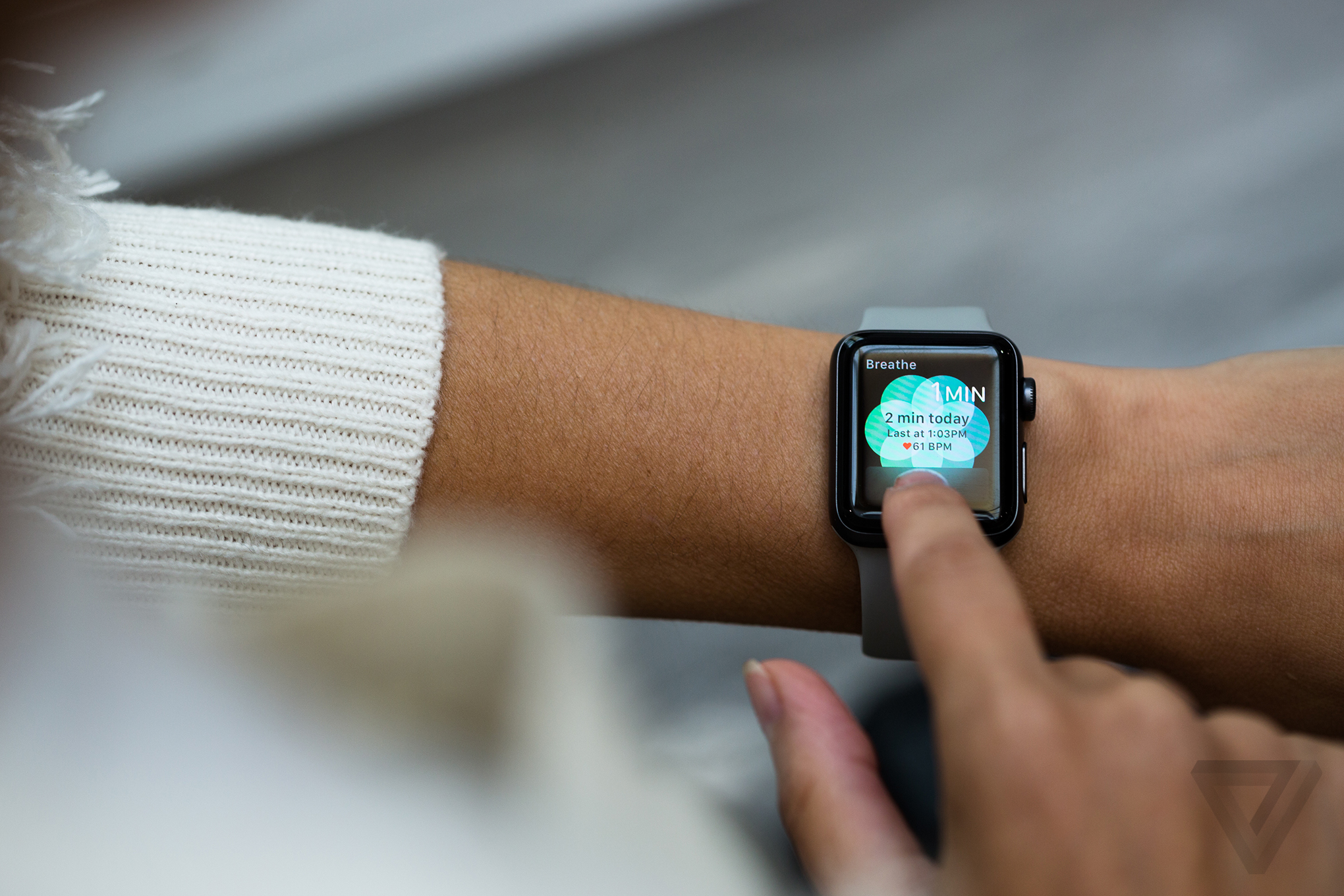
There’s also a new built-in app on the Watch that reminds you to breathe deeply once in a while, all part of a growing trend around mindfulness. I haven’t used this much yet. Right now, this feature feels like the "Time to stand!" nudges. Sure, you might feel better when you pay heed to them, but they’re also easy to ignore.
All of these data are synced over Bluetooth with Apple’s Activity app on iPhone, just like before. The most notable change in the Activity app is that it now offers social sharing — which, if anything, Apple is behind on. This is a testament to the value of what other companies like Fitbit have been doing for years. Now you can get pinged when your friends have finished workouts with their Apple Watches, and you can leave them encouraging messages. But, in true Apple fashion: it kicks you out to iMessage when you want to do this.
Still a smartwatch
So what about the non-fitness stuff? The everyday stuff? The is-Apple-Watch-any-faster stuff? All valid questions. The first Apple Watch suffered from slow-to-load apps and had an interface that required lots of taps and swipes. Its promise as a new platform for apps led some people to wonder whether it was meant to be a replacement for a smartphone, which of course it could not be. Now the Watch feels like it is closer to the right combination of fitness tracker, app notification system, and control center for stuff you want to do on other devices.
Part of this improvement is due to the Watch’s new dual-core processor, which is said to be 50 percent faster. But a bigger part of it is also its new software, watchOS 3, which will be available for all Apple Watches, not just the new ones.
WatchOS 3 makes the Watch feel faster and more fluid. Swiping down from the top of the Watch still shows you notifications, but now, when you swipe up from the bottom of the Watch, you have a mini command center right there. Pressing the physical side button brings you to an app dock, so you don’t really even have to go to that cluster of tiny apps anymore, unless you’re looking for an app you don’t have saved to your dock. You can change watchfaces just by swiping from edge to edge.
WATCHOS 3 IS A BIG PART OF THE BETTER APPLE WATCH EXPERIENCE
This also means you’re not using Force Touch quite as much on the Watch, although, you can still use it to change and customize watchfaces, or you can press on your location in the Maps app to search for another location. But, you end workouts now by swiping, not by hard pressing like you used to.
I haven’t been able to try many third-party apps yet, since apps for watchOS 3 just became available yesterday. But it’s safe to say that these will have a big impact on the overall Apple Watch experience, just as they did with the first Watch. Third-party apps will also alter the health and fitness experience, because of the way data-sharing works. For example, running app RunKeeper has a watchOS 3 app, as does Runtastic, but Strava, another popular cycling and running app, does not yet. And Apple’s Activity app is currently able to pull in data from the Strava app, but the workouts I’ve recorded using the Apple Watch aren’t showing up in my Strava feed.
Room for improvement
But for all of the improvements, some of the hassles from the original Watch remain. Apple still has a lot of work to do.
I’ve noticed the display still doesn’t wake every time I raise or twist my wrist, which is annoying. And, even though the screen is now brighter and easily visible in normal daylight settings, it’s still tough to see in direct sunlight. At the end of the day this is a smartwatch with a retina OLED display, and not a reflective display like on other sport watches. It also doesn't measure elevation when you're recording an outdoor workout.
FAMILIAR HASSLES REMAIN
For whatever reason, I’ve had trouble syncing my iTunes to the Watch, which can support up to 2GB of music. I can’t say I’m remotely surprised that I encountered something problematic with iTunes. A spokesperson for Apple said the company is aware that this may affect some people and is actively working to solve it.
Finally, the battery life: the new Watch has a bigger battery in it to compensate for the GPS and the brighter display. And it’s definitely better than the first Watch: a couple days ago I put the Watch on first thing in the morning, popped the display up to full brightness, went through a day of notifications, used GPS during an hour-long bike ride, and still had 20 percent battery left later that night. But it’s still a charge-every-day kind of thing if you work out, which is one of my least favorite aspects of smartwatches.
If you’re considering the Apple Watch as a fitness tracker, it’s actually fairly easy to go down the line and answer a series of questions. If you already have an iPhone, really want GPS and waterproofing, like the app notifications, don’t care about having to charge it every day, and have at least $369 dollars to spend, then go for it. Athletes who want a tri-sport mode, a completely visible display, and hours and hours of GPS-equipped battery life will want to look elsewhere. In terms of fitness tracking, it’s still a big step up from the first generation.
But beyond health and fitness, the question of whether to get an Apple Watch comes down, more than ever, to the question of which ecosystem you want to live in. Unlike many other wearables, even ones that run Google’s platform, when you buy an Apple Watch you’re buying into Apple products in general. Together, the iPhone plus Apple Watch plus AirPods work well. Only one of them works well alone, and it’s not the Watch.
THE APPLE WATCH SERIES 2 IS A BETTER CITIZEN IN THE APPLE ECOSYSTEM
The Apple Watch is also part of a picture of modern tech — one that is slowly coming into focus, but might still be fuzzy for a lot of people. It’s a scene where the phone is basically a pocket computer that acts as the central processing hub, but our interactions occur through other things. The AirPods I’ve been using are preproduction units, so our review won’t be posting until later, but in my experience so far, they take away the friction that comes with Bluetooth earphones. Once I connected them with the new iPhone, they were automatically paired with the Watch on my wrist.
There’s something effortlessly cool (and yes, expensive and even ridiculous) about having your phone ring across the room or in your bag, looking down and accepting the call on your wrist, and knowing the wire-free AirPods in your ears are going to pick up the call. We’re entering an era where technology hardware might eventually disappear into the background, as touch and voice and gesture become our more frequent interactions, but the irony is that all of this requires piling on a bunch of hardware to get there first.
The Series 2 Watch is another step in that direction. It’s another piece of hardware on your wrist, one that looks the same as the one before it. But it’s not about a new form factor; Apple has made that clear with its newest products. It’s about what the thing can actually do.
The least we can say about the BMW i8 is that it is futuristic! We were already convinced after our earlier review in Germany. We recently spent some more time with the eco-supercar and can only re-affirm how special the Bavarian hybrid actually is!
Production of the BMW i8 began back in 2014. After two years on the market, it is still a compelling package.
Thanks to our photographers Willem De Zeeuw and Thom Van Der Noord we can show you how attractive the i8 really is in just 10 pictures.
Wing doors are probably ‘the’ most impressive detail. They give a complete different dimension to the car…
One thing the doors can’t do though… fly over traffic jams …
Beside the doors we believe the design of the tail lights deserves a lot of the attention …
Combined with spoiler, the effect is close to perfection…
The rims – 3 different sets exclusively designed for the i8 – are eye-catching…
Because of the doors it is a bit of a challenge to get in the seats, but once you’re in you don’t want to get out. Perfect support for the back, as it should be in a sports car. The optional blue colour of the seatbelt makes the design complete.
The dashboard is typical BMW, pratical and something that any BMW enthusiast requires…
‘Sport’ button … unexpected in a electric car, until you push it. Amazing acceleration combined with a fabulous sound!
Colours are a matter of taste, the white and blue combination fits the car just perfect…
Even when the i8 is not the important component in a landscape, it certainly knows how to attract attention!
Billed as the world's smallest Bluetooth gaming controller, the 8Bitdo FC Zero is compatible with Android, iOS, Windows and Mac devices – basically anything which supports third-party Bluetooth devices. It has an 8-way digital pad, four face buttons and two shoulder buttons, and is powered by a 180mAh rechargeable battery.
8BITDO ZERO: DESIGN AND BUILD
8Bitdo's boast isn't a hollow one - this is easily the tiniest joypad I've ever used. It's 73mm wide, 35mm tall and 13.7mm at its thickest point, and slips so effortlessly into your trouser pocket that you'll forget it's even there. It even comes with a lanyard that allows you to tie it to your keys, making it a portable control option that's always with you.
The pad is plastic, yet the build quality is decent enough. The D-pad is responsive and comfortable to use, despite its diminutive nature. The buttons are also high quality, and click reassuringly when pressed – no annoying sponginess to be felt here.
The small size of the 8Bitdo Zero might lead you to assume that it's awkward to use for prolonged periods, but I didn't find that myself. I've got quite small, Hobbit-like hands which probably helps, but the controller is comfortable to use and never feels too tiny. If you're used to pads which fill your palms like the Xbox One and PS4 pads then it might take a while to become accustomed to the Zero's miniscule stature, and the lack of grip can cause problems - you're essentially gripping the device with your fingers rather than your hands - but these are acceptable trade-offs for such incredible portability.
8BITDO ZERO: CONNECTIVITY AND BATTERY
Pairing the Zero with a compatible device is straightforward. In the case of Android, I had the controller connected in seconds and was able to use it to navigate through my phone's user interface and control various games and emulators. Once paired, the pad connected automatically with my phone whenever I turned it on. A light on the bottom edge of the Zero shows you if it's on, visible to other devices or charging.
Linking to non-Android devices requires you to input a special button combination - for example, the Zero can be placed in "iCade" mode by holding down the Start and A buttons together, or can emulate a keyboard on iOS by holding down Start and B. You can even use the device as a remote shutter for your phone's camera by holding down the Select button - a feature that is useful when taking group shots you want to be a part of.
While Android games with physical controller support should automatically detect the Zero and map buttons accordingly, I discovered a few examples where the software refused to recognise the presence of the pad. The excellent OutRun tribute Horizon Chase was perhaps the most noteable; while it has full pad-and-button support on the Nvidia Shield handheld, it failed to recognise the Zero's face buttons and was therefore unplayable. Thankfully, this isn't a common problem and most games work happily with the device.
The pad's 180 mAh battery charges in around an hour, and is advertised as offering 20 hours of gameplay on a single charge. The pad has a Micro USB connection for charging so you can use your phone's charger (assuming your phone doesn't have a fancy new USB Type-C port, of course) but 8Bitdo has kindly included a small cable in the box that can be used on any USB socket.
SHOULD I BUY THE 8BITDO ZERO?
If you're already partial to indulging in a spot of retro gaming on your phone or tablet then the the 8Bitdo Zero comes highly recommended. While it doesn't do anything special when compared to the hordes of other Bluetooth pads on the market, its small size makes it far more portable and therefore more likely to accompany you out of the house. Performance wise, the excellent build quality means it's a joy to use and if you're used to gaming on Android devices, the pairing process is effortless.
While nothing beats the elegance of built-in physical controls, we're unlikely to see another Xperia Play any time soon so the 8Bitdo Zero is perhaps the best bet for serious mobile gamers.
VERDICT
Well-made, comfortable to use and eminently pocket-sized, the 8Bitdo Zero is highly recommended to all serious mobile gamers
Thanks to Willgoo for supplying the 8Bitdo Zero used in this review.
Bound brings a unique approach to the speedrunning platformer by putting the focus on a heartbreaking narrative and a beautiful dance mechanic to pull players through its world.
Although the late summer hasn’t seen the release of many AAA titles, fans of indie games have had plenty of beautiful, unique worlds to explore. That list grows a little longer this week with the launch of Plastic’s balletic platformer Bound. There’s no denying that Bound has a style of its own and an interesting gimmick, but as it turns out, there’s much more than that to explore in the emotional adventure.
For those who missed the game’s reveal trailer at E3 2016, Bound is a platformer that puts players in control of a character who flows through her constantly changing world like a ballerina. The game is a third person 3D platformer and players have a few moves to navigate through obstacles, enemies, and simple puzzles. The basics of the game are run, jump, roll, and dance. Using those skills, players set out into a series of levels with no heads up display, no tutorials, no loot, and no life total.
Players are given a journal at the beginning of the game and each page in the book represents a level. The player has the ability to work through the levels in any order that they choose, but unlikein a game like Mighty No. 9, the ability to work through the game in any order feels very powerful inBound. This means that the game’s mysterious narrative unfolds depending on how the player works through the book of memories. We’ll avoid going into specifics because giving any aspect of the game’s narrative away is a major spoiler, but the order that the levels are played through impacts both gameplay and story. The events of each level may be interpreted differently based on the order in which they are seen, as well.
In addition to the emotional differences that can occur based on the order of completion, players will also unlock different paths and options. The game was designed with speedrunners in mind and after completing the campaign once, a special speedrunning mode is unlocked. There are over 120 different combinations for tackling the order of the levels and this seems like the kind of game that the speedrunning community will have a great time cracking.
At the heart of Bound is a beautiful platforming experience that allows gamers to get lost in a new world full of amazing music and well constructed metaphors. Players have multiple paths to work through each level and will rarely feel frustrated by clearing a certain gap or avoiding an enemy’s grasp the way that they would in a more punishing game, even like Song of the Deep.
Bound is all about flow and deaths will likely be few and far between. Enemies (enigmatic black pixels grab the dancer and pull her to the ground) only slow the protagonist down, not kill her, and players break free by using the dance mechanic. There are lots of spots for players to fall off of the stage into the abyss, but even that only occurs when players become careless or distracted. The game has moments that feel like they should be boss fights, but players don’t need to do anything special or challenging to get through them. Simply holding the dance button for a few moments will send the big monsters running off into the distance. This feels just a bit like a missed opportunity. Although the game isn’t about combat at all, it would be nice to have some unique challenge at the end of each chapter.
That being said, we found each level to be interesting and fun to explore from start to end, but gamers looking for a challenge beyond speed will likely not find it in Bound. The game only takes a handful of hours to beat on the first playthrough and doesn’t have much more to offer players who aren’t interested in speedrunning or a heartbreaking narrative. The game’s story and its unique delivery really are enough to justify the $20 price tag (or $16 for PSN Plus members), but the brevity may leave some gamers feeling like they were short changed.
Pokemon GO’s latest update adds the Buddy feature and this walk will explain how to equip a Pokemon and start earning candy by walking around in the real world.
After a few days of awkwardly waiting around, the Pokemon GO buddy update is finally rolling out. The patch was announced over the weekend, but very few players actually had access to the new feature until this afternoon. Now that the update is in place, users can start earning candy for specific Pokemon by taking them for walks.
Like most things in Pokemon GO, the new feature isn’t very well explained by the game itself. There is no tutorial on how the buddy Pokemon system works, so here is what players need to do to start earning candy in the mobile game…
Download The Update
This part seems obvious, but players won’t see the buddy feature until the latest patch is installed from either the Google Play Store or Apple’s App Store. The update will eventually download itself depending on each user’s settings, but to speed up the process, search for Pokemon GO in the app store and click update. If the update isn’t visible, try to clear the store’s cache and check again.
Click On The Character Portrait
Open the character menu by clicking on the picture of your avatar in the lower lefthand corner of the screen.
Open the Menu
Click on the hamburger icon (that one with three horizontal lines) to open the menu, which will contain a new button!
Click ‘Buddy’ and Select a Pokemon
Click on the Buddy button to access the new feature. This will bring the player to a list of all of the Pokemon that they currently have in inventory. Select the one that you would like to assign as a your buddy.
Go For a Walk!
Once the Pokemon is assigned, players can start walking around and earning candy. Check out our guide to figure out how far each Pokemon needs to walk to find candy. Remember that switching a buddy erases its progress, so make sure you go in with a plan. There seem to be rewards and easter eggs for walking Pokemon longer distances, as well. Check back for more updates and guides after we have some time to explore the new content.
Plants vs. Zombies: Garden Warfare 2 is a sequel to a game I didn't expect to like in the first place. Get the reviews it.
When it was announced back in 2013, the original Garden Warfare seemed like a monstrosity, taking the accessible, goofy charm of casual-friendly developer PopCap's overhead strategy game Plants vs. Zombies and shooter-ing it up. How crass, I thought. How unnecessary. But it turned out that PopCap was on to something, and what resulted married excellent mechanics with all of the bonkers design decisions of a real, honest-to-goodness Plants vs. Zombies game. It was even funny, and a rare example of a sophisticated shooter that didn't rely on graphic, bloody violence. It was also a game with surprising legs, racking up millions of users despite its complete focus on multiplayer.
Now, almost exactly two years later, the Plants and the Zombies are back in a game that aims to make up for some of the original Garden Warfare's limitations. In many respects, PopCap has gone the extra mile — and then some — to build something more than a budget experiment in mixing casual, cartoon aesthetics with a hardcore, team-based multiplayer shooter, but there are certain returning design issues that Garden Warfare 2 doesn't quite shake.
WHEN IT COMES TO CONTROLS, RESPONSIVENESS, WEAPON HANDLING AND TEAM MECHANICS, POPCAP IS NOT FUCKING AROUND
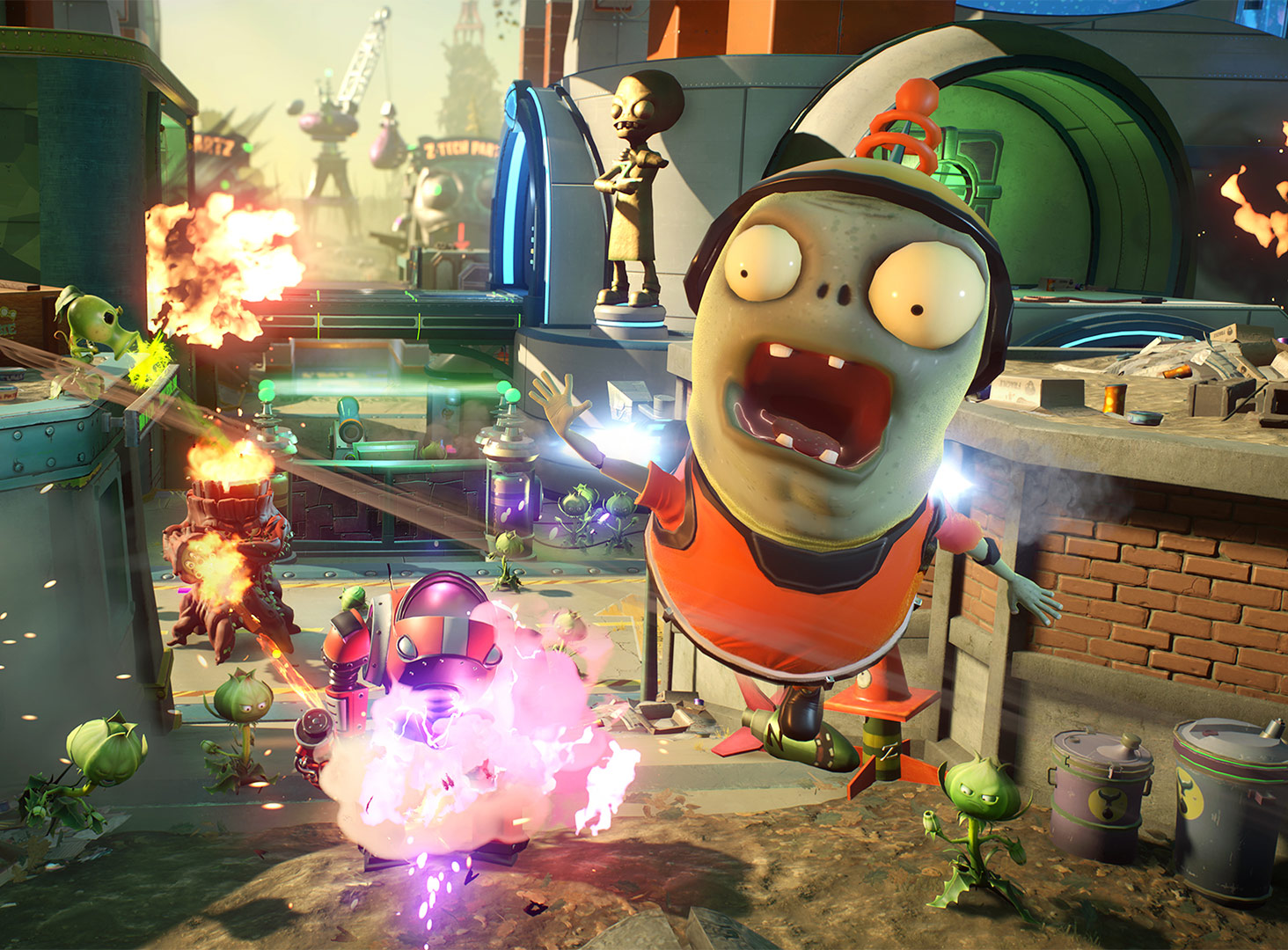
Plants vs. Zombies: Garden Warfare 2's greater ambitions are obvious right away. Where Garden Warfare started at a basic menu, asking if you wanted to play the cooperative Garden Ops mode or competitive multiplayer, Garden Warfare 2 drops you into a war —€” or rather, a completely ridiculous demilitarized zone. Backyard Battleground is the container for everything in Garden Warfare 2, taking place in a town split into three parts: one section in the sunlight occupied by the Plants and their benefactor, Crazy Dave; one end controlled by Dr. Zomboss and the rest of his super-advanced Zombie army; and in the middle, a no-plants-or-zombies land where chaos rules.
It's a really bizarre conceit, but it works, adding a sense of narrative only hinted at in previous PvZ games. There's a context for just about everything happening inGarden Warfare 2, which is a nice change of pace from the bare-bones presentation of the original. But, more importantly, it adds a framework from which PopCap hangs a frankly ridiculous number of things to do. Each side's base contains missions, bounty boards, multiplayer portals and more, but the world at large is also full of its own secrets and hidden missions and challenges. You can also party up with friends and wander the world —€” which is called Zomburbia, because PopCap —€” and annihilate enemies wandering around before accepting missions or queuing into multiplayer together.
Everything you do in Garden Warfare 2 contributes to your overall character and player progression, no matter where you do it. Wayward zombies or plants are worth experience in Zomburbia as well as in the cooperative Garden Ops mode, and you can level up anywhere. It provides a level of persistence and involvement that very few shooters or action games manage, especially with a multiplayer component, and bigger, higher-profile titles have tried and failed to do what PopCap is pulling off.
There's so much stuff to do here that it's honestly a little intimidating. After about a dozen hours, I don't feel like I've chipped the surface of Zomburbia. I've unlocked almost no hidden areas, and haven't raised the Flag of Power —€” I'll let you find out what that is yourself —€” once in the final version of the game. There's almost too much to do, but this strikes me as a good problem. WhileGarden Warfare was a bit of a hit-or-miss value proposition hinging entirely on your desire to play with other people, you can kill plenty of time solo in Garden Warfare 2, in addition to playing every part of the game together as a group. It's one of the most seamless cooperative experiences I've ever played.
Then there's adversarial multiplayer, which has seen its own expansion. There three new classes on each side, bringing Plants and Zombies to seven each. Garden Warfare 2 brings back one of the original game's best features: the Welcome Mat playlist, which limits players to base classes on each side and also provides bonuses to struggling players to level the playing field a bit. Garden Warfare 2also brings the same objective game types back, albeit with plenty of new quirks and maps that feel significantly larger than the last game.
It looks like a dumb, weird game full of mutant potted plants and non-threatening undead, but when it comes to controls, responsiveness, weapon handling and team mechanics, if you'll pardon my language, PopCap is not fucking around. There are no compromises made in deference to Garden Warfare 2's roots. It sits comfortably next to the Battlefield games as a great-playing shooter, thanks largely to its shared technical lineage with DICE's shooters.
The only real problem I have with Garden Warfare 2was also present in Garden Warfare —€” the dichotomy of its asymmetric design. This is a long-winded way of saying that, well, playing as the brain-craving Zombies just isn't quite as fun as the Plants. Worse, it still feels like there are particular, vital areas where the Zombies just aren't as effective.
It's not that the Zombies are boring, exactly. In fact, PopCap has experimented the most with the undead, introducing the Imp class, whose tiny size and smaller health pool is complemented by a manic combat style and the ability to call down a powerful robotic suit reminiscent of 2014's Titanfall. The Zombies also receive a new melee-specific character called Super Brainz, to complement the giant zombie-eating counterparts on the other side of the conflict.
There's no shortage of inventiveness or goofy charm, and in a vacuum, every character has their own quirks and caveats that make them feel surprisingly distinct, given that there are 14 base classes. There are also around a hundred more variant classes, some of which radically change the basic abilities of the root character —€” my favorite being the Plant's Vampire Sunflower, which reduces the Plant medic's base health pool but gives it a life-stealing attack to compensate.
PROGRESSION, STICKERS AND COINS
Like Garden Warfare, Garden Warfare 2 features a leveling system similar to many other shooters in addition to ... well, stickers. Like, '90s Trapper Keeper-style stickers, which you collect in order to unlock new character variants. Stickers can also be used to summon potted plants or low-level zombie underlings in Zomburbia or in competitive multiplayer. You buy stickers in packs using coins earned by finishing quests and killing certain more powerful zombies, but playing multiplayer matches is the fastest possible means of acquisition. Stickers come in packs, and the best stuff is most likely to be found in the most expensive packs.
If this sounds like it's geared toward an aggressive monetization scheme based on in-app purchases, I understand. While Garden Warfare 2 is generous with the coins —€” especially if you've playedGarden Warfare, as Garden Warfare 2 gives lots of bonus goodies to returning players —€” the system is there to sell coins if EA were to flip a switch, just like it was in Garden Warfare.
Here's the thing: That never happened in Garden Warfare. In fact, there was never any for-pay downloadable content for Garden Warfareat all, though EA released several free additional maps. I can't say if lightning will strike twice, but PopCap's track record with the series is currently pretty good.
I found myself racking up kills and heals as the Vampire Sunflower, enough that it sometimes just didn't seem fair, and that's the problem. The Zombie healer, the Scientist, along with every variant I've tried so far, is nowhere near as useful. From a healing perspective, the Sunflower has a heal beam and can drop a potted sunflower that throws out healing balls of sunlight, which allows it to heal itself as well as providing additional healing to plant teammates. The Scientist's first two healing options —€” I have yet to unlock another —€” are either a healing sprinkler or a version of the Sunflower's beam (which the game cheekily acknowledges). The sprinkler can heal any zombie that sits within its area of effect, including the scientist himself, but it suffers from a long cooldown period. Meanwhile, the Zombie healing beam is always available, but seems to heal much more slowly than its Plant counterpart.
It's not that the Zombies aren't fun to use. There's plenty of variety and their brute-force approach can be deeply satisfying. But I felt like I was often running uphill in comparison to my games on the other side. And for whatever reason, during my review sessions for Garden Warfare 2, my time spent undead was often accompanied by strange lopsided matches where the foliage severely outnumbered us player-wise. I was annoyed that the game didn't do something, anything to balance matches like this — I played through the general matchmaking system with a retail Xbox One copy of the game. But I also wondered more than once if some players were just switching sides whenever they ended up playing as a Zombie.
If there's a saving grace here, it's that Garden Warfare 2 works to take the sting out of losing. There's a podium recognizing particularly effective players at the end of each match, and it acknowledges success regardless of the winning team. There's also a medal system in each game that goes out of its way to let you know when you did the most of a particular thing, and the progression rewards are generous as well, win or lose.
WRAP UP:
GARDEN WARFARE 2 RECTIFIES THE ORIGINAL'S BUDGET-PRICED COMPROMISES
If Garden Warfare was an attempt to make a multiplayer-only shooter that just about anyone could enjoy, Garden Warfare 2 takes that a step further by removing the original's budget-priced compromises. Making the original PopCap concept into a shooter isn't novel anymore, and I hope that the developers pay attention to the game's potential balance challenges over time to make sure that "asymmetric" doesn't become "lopsided." But Garden Warfare 2 stands strong on its own, and with friends.
Street Fighter 4 originally released in 2008 in arcades (and 2009 on consoles), and over the next seven years, saw a steady stream of adjective'd, updated releases. It was the epitome of a playbook the developer had built over two decades making fighting games, but in an era of games as service, it felt increasingly anachronistic. Worse for Capcom, each iteration became a new stumbling block in keeping a unified community engaged.
With Street Fighter 5, Capcom appears ready to move the series into a post-esports reality. In the words of producer Yoshinori Ono, the version of Street Fighter 5 that released last week is "the only version you'll ever need," as all new fighters and balance updates will be added to the game over time —€” the balance updates for free, and the fighters for sale for either real money or in-game credits. The game underneath this new business model has also seen major revisions that serve to reset some of the cruft collected around six years of iterative releases from the last game, along with 25 years of Street Fighter baggage.
There's just one problem: Street Fighter 5 isn't finished —€” and if you're looking for more than the ability to play against other people, there are many more promises of what will come than actual in-game content.
Street Fighter 5's streamlined approach is immediately apparent. There are 16 characters at launch (with a promised six additional characters this year via DLC). Thankfully for new or lapsed players, Capcom has also limited each character to just one fighting style, rather than several. The result is a game that isn't as absurdly intimidating from the word go.
There are other welcome changes to Street Fighter's basic philosophies. Some of these are more obvious —€” "chip damage," or damage taken from special attacks while blocking, has been altered, and stamina-depleted opponents can no longer be KO'ed through a block by a special move. This simple tweak radically changes end-game scenarios; players either have to sacrifice their combo meter to get a chip KO or land a proper hit or throw to secure a victory, which leads to fewer anticlimactic finishes.
A more subtle addition to the game is the "buffer window" €— you might not realize it's even there, but you'll probably notice the ways it's helping your ability to land combinations whether you're a new player or a veteran street fighter. Where Street Fighter 4's combo system required timing so exacting it forced many high level players to adopt "double tapping" in order to ensure their combos unfolded properly, Street Fighter 5 is more forgiving. The buffer window secretly adds two extra button presses on the next two frames after an input, adding an extra bit of assist and removing the need for so much precise frame-counting.
These are subtle but important quality of life changes that make Street Fighter 5 feel more accessible without robbing it of the depth that makes the series great. V-Skills and V-Triggers serve as the foundation of each character's play style, and beginners can build their gameplay around these techniques to get their feet wet. The buffer window will also save everyone hours of practice time in Training Mode as they perfect combos.
But all of those accessibility improvements come amidst the most bare Street Fighter home release to grace a console since the SNES version of Street Fighter 2.
Street Fighter 5 is the first release in series history to eschew a traditional arcade mode. There's no way to select a character and fight through a traditional series of best-of-two AI matches against the game's roster. There is a story mode, and to its credit there's more narrative present than we can recall in any other Street Fighter, albeit in flat, hand-drawn slides with voiceover. But each character's story currently consists of two to four single-round fights, and any player with basic competency in Street Fighter will be able to finish everything on offer here in around an hour.
Capcom has promised additional story content to launch in June, but as it stands now, if you're looking for any solo play in Street Fighter 5, you are, to be blunt, screwed. Even the included survival mode is miserly, consisting, once again, of single-round matches, and the game's training mode is woefully inadequate. Where fighting games like Killer Instinct have introduced whole in-game, playable syllabi to introduce new players to their systems and the most recent Mortal Kombat provided the most surprisingly engrossing story we've seen in a fighting game, Street Fighter 5 can't help but seem paper thin €— if not a little bit insulting.
THE OUTFITS
While Street Fighter 5's mechanics feel geared to let new players find their way into the series, other aspects seemed designed to do the opposite. The Street Fighter series has always featured some ... particular depictions of its female characters. Street Fighter 5 seems to take that in the direction of even more aggressive fan service, with often comically oversexualized character designs for its women. It's not surprising, but it does seem like a step away from any attempts to make the game more accessible to new fans.
As it exists currently, Street Fighter 5 can only really be recommended to those looking for a multiplayer experience exclusively, and even then, there are surprising compromises present. On the bright side, Street Fighter 5 features some of the best network code the series has ever seen, allowing for fights that feel mostly lag-free. And in competitive matches, the strength of Street Fighter 5's underlying mechanics and its various tweaks is most keenly felt. Capcom has built a phenomenal fighting engine.
Now it just has to build a vehicle for it. Online options are currently threadbare. Lobbies are available, but only allow two players at a time. Matchmaking, whether ranked or "Casual," includes a bizarre conceit wherein you must choose a character from another menu before queuing, eliminating the pick process from the match. More annoyingly, Street Fighter 5's online stability has been questionable, and the game has been taken offline for server maintenance repeatedly in the week since its release.
Street Fighter 5's meager online support will ostensibly be fleshed out by an update in March, but as it stands right now, even the competitive players for whom Capcom seems to be pushing the game out in its current state are underserved by what they're getting.
Eight years ago, this all would mark something of a death sentence forStreet Fighter 5, but as it stands now, it's an act of caution. Capcom has promised that the version of Street Fighter 5 that you buy today will always be current, regardless of whether you buy or earn new characters added over time, and regardless of whether you walk away for a time and come back. The nature of the game as a platform also suggests consistent balance updates like any other online "esport," which at the very least serves as some encouragement that things will get better.
WRAP UP:
STREET FIGHTER V IS THE SKELETON OF A GREAT FIGHTING GAME
We don't doubt that Street Fighter 5 will be more than it is today at some point, and it may not even take long to get there. The most important skeletal elements of a strong fighting game are here, and they set the stage for a fighter that should have the legs to carry it years down the road. But for all but the most dedicated Street Fighter player, Capcom isn't making a reasonable case to jump on board yet.
Homefront: The Revolution is a action game and now we are go to read the reviews of it.
The out-gunned, outnumbered insurgency trope is a shooter staple. Most recently, the Far Cry franchise has repopularized it, toppling militaristic dictatorships in foreign lands.
But what about taking back America from an oppressive invader? Beginning with the first game in 2011, the Homefront franchise has attempted to capture the spirit of '80s movie Red Dawn — even going so far as to work with that film's director and co-writer John Milius as a "story consultant" — with mixed results. The second game in the series, Homefront: The Revolution, continues this trend of subversive mediocrity.
ONCE THE ACTION STARTS, HOMEFRONT: THE REVOLUTION SETTLES INTO DULL MISSIONS AND GAMEPLAY
In the Homefront universe, North Korea is a technological superpower, providing the United States with cellphones, computers and aircraft carriers. Unfortunately for us, this technology is riddled with back doors and, one day, the North Koreans decide to shut everything down, leaving our borders defenseless. "The Norks" (the derogatory term used for the North Korean invaders in Homefront) easily storm the West Coast and take over the nation in just a few years.
The Revolution picks up in 2029, with the North Koreans maintaining full control of most of the country. Set in Philadelphia, the game focuses on an insurgent force attempting to retake the city from the Korean People's Army. A full-on assault would be suicide, so guerrilla hit-and-run techniques with makeshift weaponry are the order of the day. You take on the role of one such insurgent, new in town and eager to prove your mettle.
The setup for the universe's story isn't half bad, and it's more grounded than I would have expected. But once the action starts, Homefront: The Revolutionsettles into dull (and at times painfully frustrating) missions and gameplay.
Much of The Revolution takes place in large open sections of Philadelphia. Upon entering these areas, you're presented with simple go-here-and-collect-this-thing/kill-these-people story sections. Alternately, you can opt for side missions to retake chunks of the city by, well, killing a bunch of people or hacking computer screens. The Revolution seems satisfied to pad its gameplay with familiar side objectives that rely on mindless shooting and bad first-person platforming.
A few hours in, The Revolution does seem to be taking things in a unique direction, though. Certain areas of the city, called Yellow Zones, are civilian areas occupied by the North Koreans. Unlike the mindless combat of the Red Zones, here you have to use stealth and subversion to turn the populace to your side. It was an exciting few moments, until I realized that turning the populace to my side meant side missions like "turn on this radio" and "give this homeless person ten bucks" (seriously). Do enough of these and the area will unlock a new story mission. Hooray.
Your reward for completing these objectives is currency to unlock new weapons and perks. Some of these, like a pneumatic pistol that requires steam pressure to fire or a remote-controlled buggy attached to a hack device, are interesting, but mostly you'll find yourself using familiar machine guns, sniper rifles and rocket launchers.
Beyond this gear there's little sense of progression, and the thrill of a new environment certainly isn't enough encouragement to keep you going. There's usually a sense of excitement when it comes to exploring wide-open areas in games, but instead of the inviting mountains of Far Cry or the majestic minarets of Assassin's Creed, Homefront leaves you mucking around in a crumbling, ugly metropolis. There's just one area in the game that doesn't look dilapidated, and it's quickly replaced by a bland, foggy expanse that looks like it just survived a nuclear attack. It's far from the travel brochure the city of Philadelphia might have been hoping for, and it lacks the occasional landmarks and bright spots that make Fallout's worlds so much more inviting.
CO-OP
While The Revolution's campaign doesn't offer any multiplayer, there is Resistance Mode, which offers co-op if that's something you're looking for. Set across the campaign's larger maps, the co-op mode lets you and three other freedom fighters team up to complete the same dull objectives from the campaign. As if you hadn't already had enough of "defend this point while your buddy hacks a computer."
Resistance Mode does offer a peculiar character creation and unlock system, letting you customize your created hero as you level up. Vanity items are paired with weapon and skill enhancements that increase your ability to revive friends or your damage resistance.
Many of the customization items rely on a "random box" mechanic that feels destined for copious in-app purchasing (assuming anyone will want to play this mode for more than a couple of hours and spend real-world money in a middling game, which seems unlikely).
The one way this dry world could be brought to life would be through a fun, original story and cast of characters, but Homefront: The Revolution is uniformly charmless throughout. The writing settles for cliche wherever it can. Missions are bookended by painful dialogue from cigar-munching soldiers. Eye-rolling exclamations like "the people are ready to rise up, they just don't know it yet!" and "it's every shade of crazy, but it'll work!" are frequent and painful.
The story reaches the same low bar, with predictable beats of friends sacrificed for the greater good and suspicious allies who turn out to be (gasp!) working for the enemy. There's hardly any story development or arc, either. It's a simple tale of taking back a city without ever striving for something more. It's as thrilling as reading a Wikipedia page.
WRAP UP:
HOMEFRONT: THE REVOLUTION IS DOING LITTLE MORE THAN CHECKING OFF BOXES
Perhaps the saddest thing about Homefront: The Revolution is that it's capably developed. It's not buggy (at least not in the PC version I played) and it runs smoothly. The guns feel fine; the lone vehicle (a motorcycle) is easy to control. But there's never a moment that feels like it's reaching for something more than a check-the-boxes open-world shooter. A successful insurgency swings the people in its favor with fancy ideals and arguments for why things can be better. The real city of Philadelphia knows this all too well. But Homefront's Philadelphia likely would have laid down for the British rather than suffer through another collection mission.



/cdn0.vox-cdn.com/uploads/chorus_asset/file/7096221/verge-2016-09-12_16-10-26.0.jpg)





/cdn0.vox-cdn.com/uploads/chorus_asset/file/6064139/gw2-tall-image.0.jpg)
/cdn0.vox-cdn.com/uploads/chorus_asset/file/6064143/GW2_Launch_03_1920x1080-_1_.0.jpg)
/cdn0.vox-cdn.com/uploads/chorus_asset/file/6089665/sfv-screen-1.0.jpg)
/cdn0.vox-cdn.com/uploads/chorus_asset/file/6089515/sfv_screens_karin02.0.jpg)

/cdn0.vox-cdn.com/uploads/chorus_asset/file/6089661/sfv_screens_ui_ryu.0.jpg)
/cdn0.vox-cdn.com/uploads/chorus_asset/file/6494083/Screen_Shot_2016-05-16_at_4.39.29_PM.0.png)